
Cleaning your smartphone screen seems trivial, yet it’s how many users unknowingly damage their phones. Glass cleaner, paper towels, cotton balls soaked in rubbing alcohol: these habits wear down the screen’s coating and can allow liquid to enter the device.
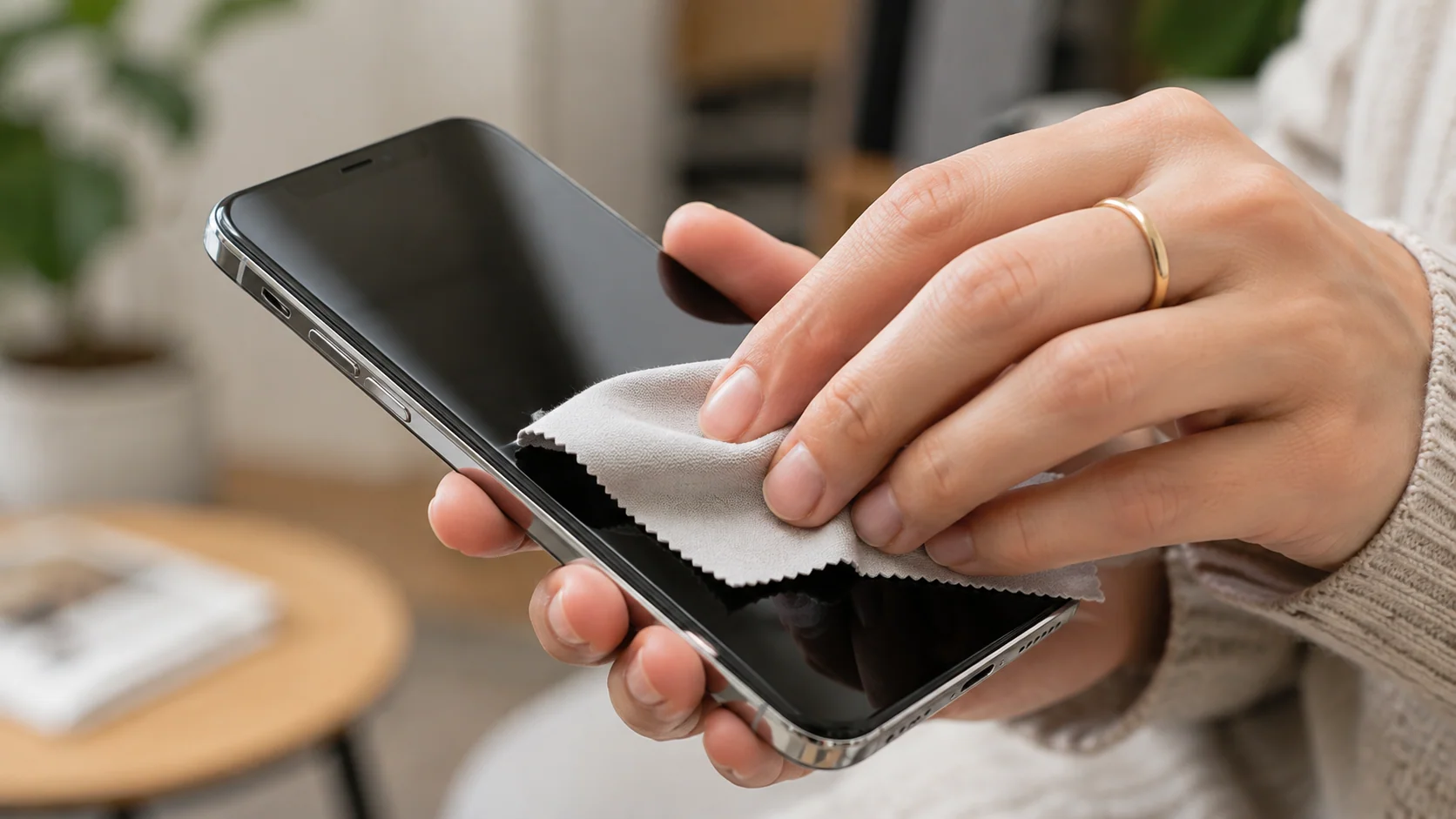
Your phone spends the day in your hands, on your face, in your bag, and on the café table. Cleaning it regularly is a good habit, provided you use the right techniques.
Why clean your smartphone screen carefully
Your phone’s screen is coated with an oleophobic treatment, a thin layer that reduces fingerprints and allows your finger to glide smoothly. It will naturally wear down over time, but harsh chemicals and abrasive fabrics will significantly accelerate this wear.
Another sensitive point: the openings. Speakers, microphones, and the charging port allow liquids to pass through. A spray applied directly to the device often ends up seeping in, even on a phone advertised as water-resistant.
Finally, fine scratches often come from a cloth rubbing grains of sand or dust against the glass. Therefore, the choice of cloth is just as important as the choice of cleaning product.
The equipment you need
No need for expensive kits. To clean your smartphone screen properly, the essentials are contained in three elements:
- a clean microfiber cloth, of the type supplied with glasses;
- a little water, just enough to slightly dampen the cloth;
- Suitable disinfectant wipes, if you want to disinfect from time to time.
Wash your microfiber cloth regularly, without fabric softener. A cloth full of dust scratches more than it cleans.
How often should you clean your smartphone screen? A quick wipe with a dry cloth almost every day, a weekly rinse with water, and occasional disinfection are more than enough. After a day at the beach or on a construction site, always start by removing any sand or dust with a dry cloth before wetting anything.
The step-by-step method
Here is the routine we recommend for cleaning your smartphone screen, simple and safe:
- Turn off the phone and unplug the cable or accessories.
- Remove the case, which often traps dust and sand on the edges.
- Give it a first wipe with a dry microfiber cloth to remove the dust.
- Lightly dampen a corner of the cloth with water, without it dripping.
- Wipe the screen with gentle movements, without pressing hard.
- Dry with the dry part of the cloth, then leave the device to air-dry for a few minutes before replacing the case.
This method is sufficient for daily cleaning of your smartphone screen. Grease marks disappear with moisture, and the screen protector remains intact.
Disinfecting safely–what Apple recommends.
To disinfect, Apple provides specific instructions on its iPhone Cleaning page. The brand authorizes the use of wipes containing 70% isopropyl alcohol, 75% ethyl alcohol, or Clorox disinfectant wipes, to be gently applied to the exterior surfaces.
Apple advises against using products containing bleach or hydrogen peroxide, window and household cleaners, compressed air, aerosols, solvents, and ammonia. Do not immerse the iPhone or allow moisture to enter any openings. After disinfection, wipe with a soft, slightly damp cloth to complete the process.
These tips also apply to an Android phone: the materials are similar, a nd the openings are just as sensitive. Disinfecting occasionally is sufficient; there’s no need to do it several times a day.
If you have any doubt about a product, refrain from using it. A microfiber cloth and a little water will never cause damage, whereas an unsuitable cleaner can permanently dull the glass.
6 mistakes to avoid when cleaning your smartphone screen
These errors are common among customers who bring us their phones:
- Glass cleaner or ammonia, which attacks the screen coating.
- Spray directly onto the phone: the liquid flows towards the speakers and the connector.
- Paper towels or handkerchiefs are more abrasive than they look.
- Compressed air in the ports, which can push dirt further or damage a membrane.
- Metal objects (pin, paperclip) can scrape the connector.
- Rinsing under the tap, even on a waterproof model: water resistance is not eternal.
If the phone has received too much liquid during cleaning, turn it off and read our article ” Your phone has fallen in water” before turning it back on.
Ports, speakers and casing–complete maintenance
The charging connector tends to collect lint. Over time, this lint settles at the bottom, preventing the cable from fully inserting and causing unreliable charging. A wooden toothpick or a soft, dry brush can be used to gently remove the lint, ideally by the light of a lamp.
If the problem persists after careful cleaning, the connector may be worn or oxidized. We repair iPhone connectors, just like we do Samsung connectors, after a free diagnostic.
The speaker grilles can be cleaned with a soft, dry toothbrush. For the case, washing it with soapy water after removing it from the phone is sufficient. Let it dry completely before putting it back on.
When cleaning is no longer enough
Sometimes, cleaning your smartphone screen doesn’t change anything. Deep scratches, a dark spot, colored lines, or a touchscreen that doesn’t respond properly don’t come from dirt: they are signs of damage.
In this case, at Casa de Phonetel, we replace the entire screen assembly, glass and panel together, with a 6-month warranty. The cost depends on the model: see our repair prices in Rouen . nd to prevent this from happening again, our tips for protecting your smartphone from impacts will be helpful.
Frequently Asked Questions
Is it safe to use alcohol on a phone screen?
Apple allows the use of 70% isopropyl alcohol wipes or 75% ethyl alcohol wipes, gently applied to the exterior. Avoid pouring alcohol directly onto the device.
Do you need to remove the tempered glass to clean it?
No. Clean it like a screen, with a slightly damp microfiber cloth. If dust has gotten underneath or if it’s cracked, it’s best to replace it.
How do I remove lint from the charging port?
Turn off the phone and use a wooden toothpick or a soft, dry brush, without applying force. Avoid compressed air and any metal objects.
Can cleaning remove scratches?
No. Cleaning removes marks and dirt, not scratches. If scratches interfere with readability or are accompanied by display defects, a screen replacement should be considered.