
Faced with the increasing number of cyberattacks targeting iOS and Android, assessing the reliability of mobile software allows you to intercept malicious spyware or abusive programs before they compromise your device. A thorough analysis prevents the theft of banking data, identity theft, and the hacking of your accounts. To secure all your devices, consult our guide, ” Applications and Social Networks: The Complete Guide to Mastering Everything .”
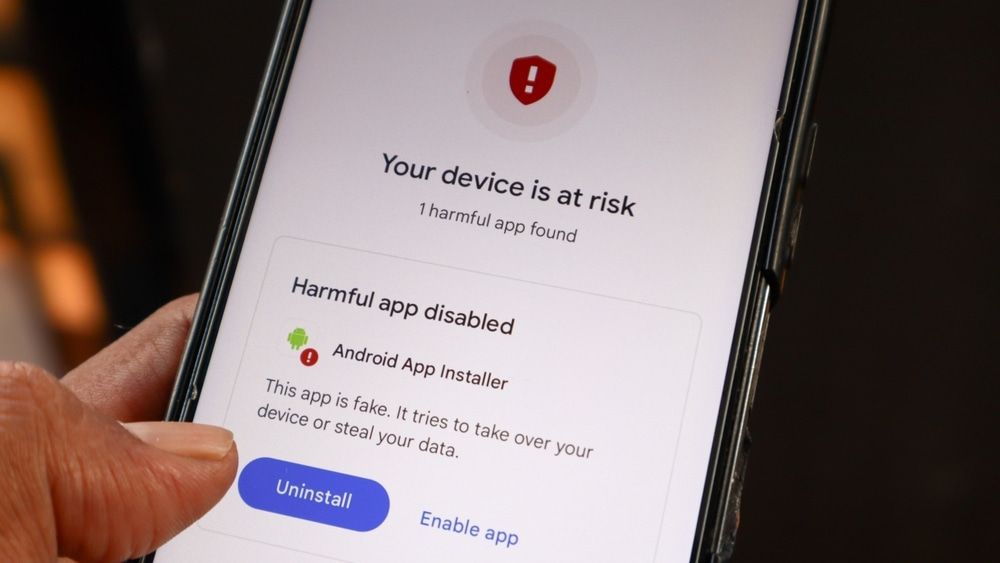
Why is application security critical?
Malicious software installed on a smartphone causes major financial and logistical damage. Our devices hold a critical amount of sensitive data: banking credentials, official documents, and confidential communications. Cybercriminals regularly exploit the dropper technique: they release a seemingly harmless application (utility, game, QR scanner) that downloads a virus payload several days after installation. Ignoring these warning signs exposes the phone to data leaks or its integration into a network of compromised devices.
The pillars of mobile software evaluation
The assessment of an application’s security rests on three major pillars: the traceability of the publisher, the legitimacy of the requested permissions, and the application’s history on official stores.
Developer traceability
A legitimate publisher provides clear information: the company name, an official website with an accessible privacy policy, and an identifiable support channel. The absence of legal notices or the use of a generic email address (such as Gmail or Yahoo) for technical support is a major red flag.
The principle of least privilege
Mobile operating systems isolate access to device functions. A photo editing application, for example, technically requires no access to the phonebook or SMS messages. Granting unjustified privileges allows malware to read two-factor authentication (2FA) codes received via text message.
Methods and approaches to analysis
Determining the reliability of a program relies on several levels of inspection, from examining its product sheet to analyzing the behavior of the device.
| Method of analysis | Benefits | Boundaries |
|---|---|---|
| Audit of reviews and rankings | Fast and accessible on the Google Play Store or the App Store. | Malware creators can buy fake reviews written by bots. |
| Authorization control | Immediately reveals abusive or unnecessary access. | Requires manually checking privacy settings. |
| Analysis via online scanner | Check the signature of APK or IPA files with many antivirus programs. | This involves directly manipulating the installation file. |
Using specialized analysis tools remains one of the most reliable methods. Submitting an installation file to a platform like VirusTotal allows you to compare its code with dozens of security databases. This process identifies hidden threats that basic security checks don’t immediately detect.
Good prevention practices
Applying simple rules when downloading greatly reduces the risk of infection.
- Prefer downloading from official stores like the Google Play Store or Apple’s App Store.
- Pay particular attention to negative reviews to identify malfunctions, aggressive advertising, or unexpected charges.
- Examine the release date and download volume to avoid imitations of popular applications.
- Systematically deny access to accessibility services on Android, except for recognized security tools.
- Check the privacy policy to see if your personal data is shared with third parties.
- Uninstall any software that requires your bank details to activate an unsolicited trial period.
Common mistakes
Some misconceptions weaken smartphone security. Here are the most common pitfalls:
Mistake 1–Thinking that official stores are infallible.
Correction__Spyware sometimes manages to bypass automatic validations. Maintain rigorous control before each installation.
Error 2— Enabling installation from unknown sources without verification.
Correction__Keep sideloading disabled by default in your operating system settings.
Error 3 _Ignoring sudden overheating or a drop in battery life.
Correction__Check power and data usage in the settings. An active background process may indicate a data leak.
Key points to remember
- Comparing the number of downloads with the age of the application helps to identify fake versions.
- Requests for access to accessibility services should alert you immediately.
- Abnormal background data consumption often signals malicious activity.
Conclusion
The evolution of cyber-spoofing techniques necessitates regular review of the permissions granted to your applications. Maintaining the security of your smartphone relies on simple habits and constant daily vigilance.